Here's a part of running a business nobody enjoys: a supplier invoice arrives, and now you're squinting at a PDF, copying a 26-digit account number into your banking app, hoping you didn't fumble a digit.
A few of our customers told us the same thing — "I already get these in KSeF, why am I retyping everything?"
Fair point. So we built it. 🙌
Your purchase invoices now flow straight from KSeF into Quento.
(KSeF — Krajowy System e-Faktur — is Poland's national e-invoicing system, so this one's for companies invoicing in Poland. A short overview and FAQ live on the KSeF Inbox page.)
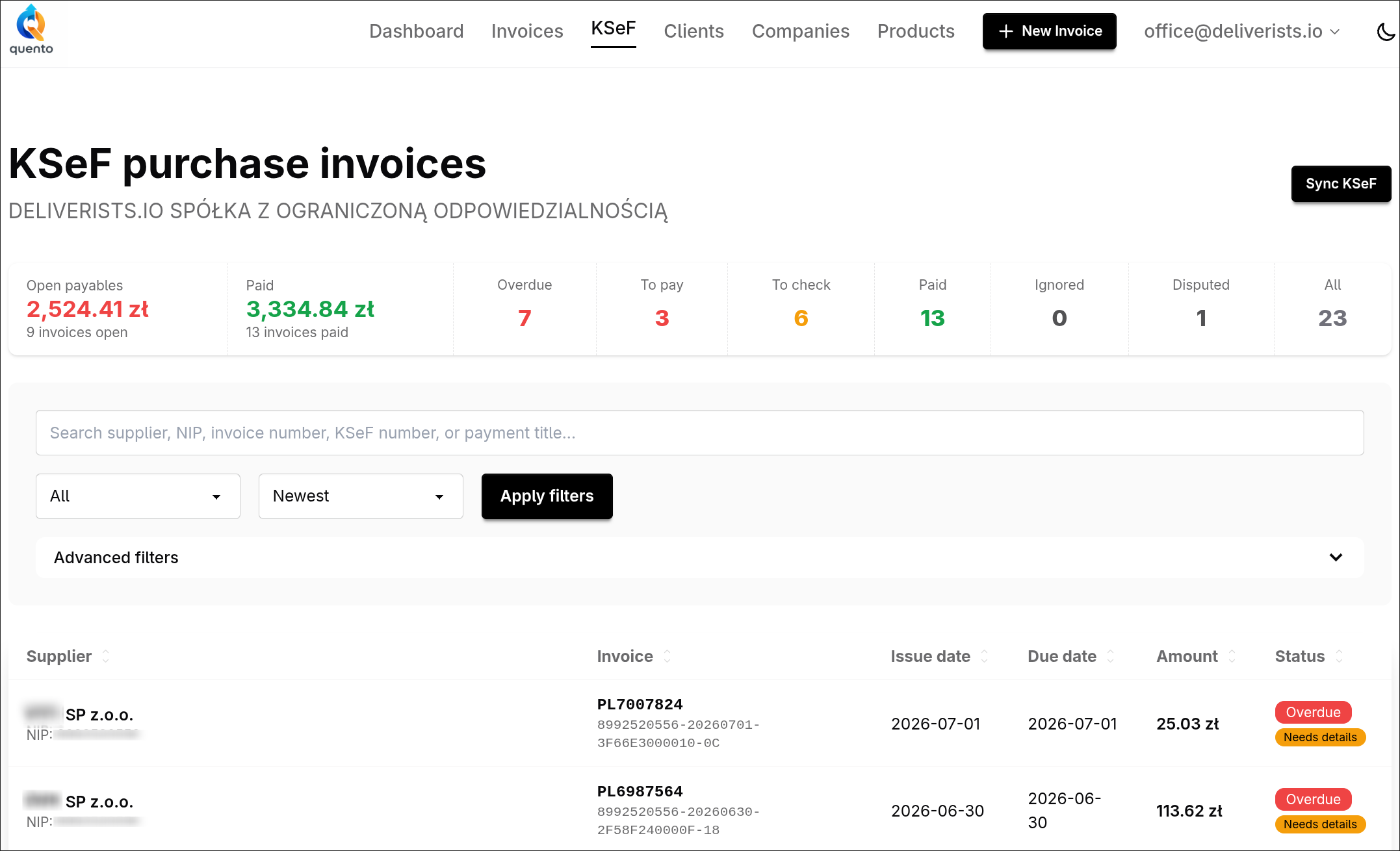
The moment you sync, each invoice you've received shows up with everything already filled in — supplier, NIP, amount, due date, payment title, and the bank account to pay. No PDFs to open. No numbers to retype.
See what actually needs paying
Everything lands in one clean list:
- To pay — ready to go, all details present
- Needs review — something's missing (no account number, no due date), so you catch it before it bites
- Overdue — so nothing slips
- Paid — including invoices KSeF already knows are settled
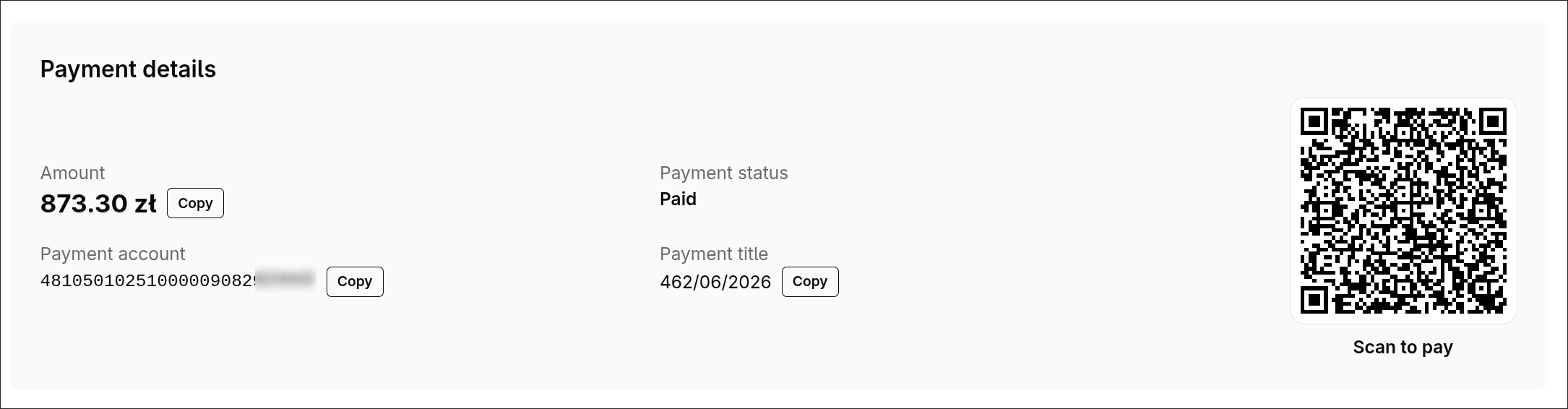
Pay in seconds — just scan
For every payable that's ready, Quento generates a Polish transfer QR code (and a SEPA/EPC code for IBAN accounts). Open your banking app, scan, confirm. The supplier, amount and title are already in there — you're just approving it. No retyping, no typos.
Built for the right people
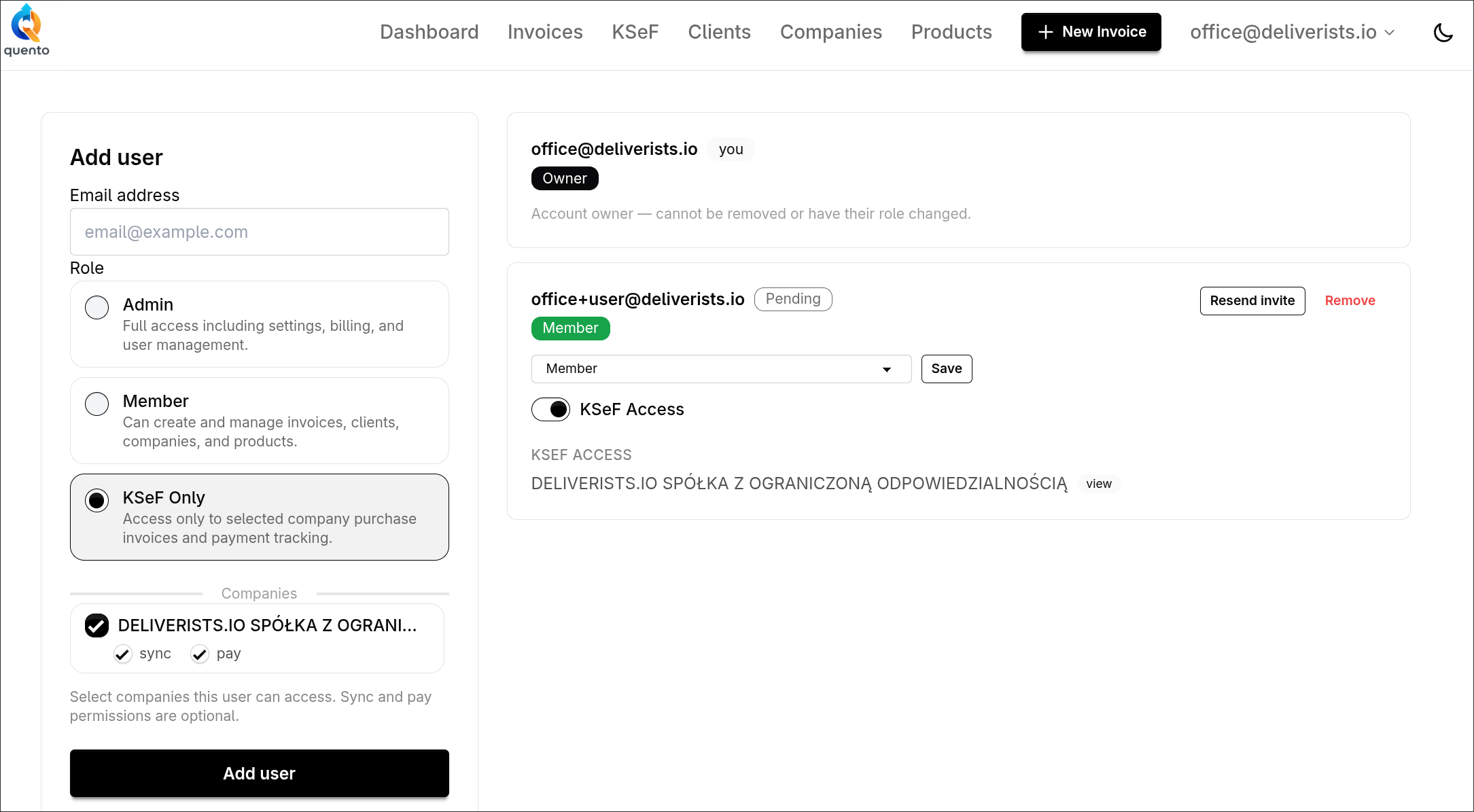
Supplier invoices aren't sales invoices. Not everyone who pays the bills should see your clients, products, or billing.
So payables has its own access: invite an accountant or a teammate and let them view, sync, or prepare payments for one specific company — and nothing else.
A free early-access pilot
KSeF Payables is rolling out as an early-access pilot, free for the first companies that join. If your company receives purchase invoices through KSeF, we'd love to have you in.
And the one we're genuinely excited about: one-tap bank payments are next — we're working on connecting payments directly, so you won't even need to scan. More on that soon.
Want in, or have a thought on how this should work? Just reply or email us at support@quento.app — that's honestly how this whole thing got built.
— The Quento Team