Running a business rarely means working alone. An accountant needs to see invoices. An employee handles payments. A partner checks one specific thing.
Quento now has a full Teams section so you can invite people and set exactly what each one can do.
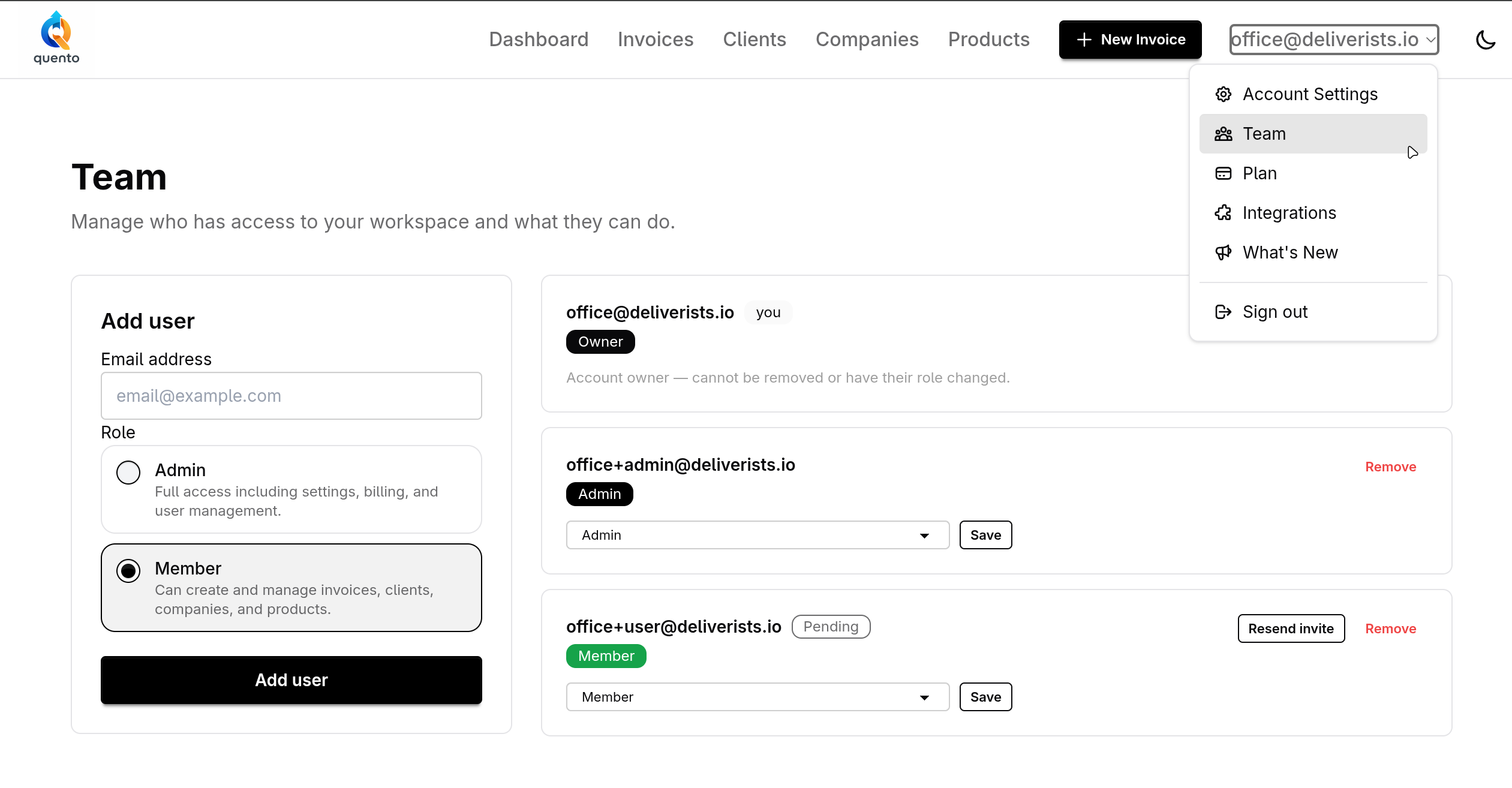
Roles That Match Real Situations
Each person you invite gets a role. There are two to choose from:
- Admin — full access, same as the account owner. Good for a trusted partner or office manager.
- Member — can create and manage invoices and clients, but cannot touch account settings or billing.
You can change a role at any time.
How to Invite Someone
Go to Settings → Team, enter an email address, choose a role, and send the invite. The person receives a magic link and lands directly in your account.
If they have not joined yet, you can resend the invite from the same page. Removing access is one click.
Why It Matters
Most accounting tools either give someone full access or none at all. That creates two problems: either you share too much, or you end up doing everything yourself.
Teams in Quento gives you the middle ground. Your accountant sees invoices. Your employee handles payments. You stay in control.
— The Quento Team